


Find my Lost iPhone
If you’re one of the many people who have an iPhone then you probably already know that Apple has a built-in app called Find My iPhone.
This feature is what can be used to track your missing iPhone if it should ever go missing But did you also know that this app isn’t just for iPhones?
It can also be used to track other iOS devices including iPads and iPods If you happen to have one of these devices then there are many reasons why it might be a good idea to enable the Find My iPhone feature on it.
Using Google Maps If you’ve ever lost your iPhone, iPad or iPod touch you know how nerve-racking it can be you have to replace all of your personal data because there’s a chance that someone will access it and use it for phishing or other malicious activities.
 |
| How to Find Lost iPhone | Find My iPhone App |
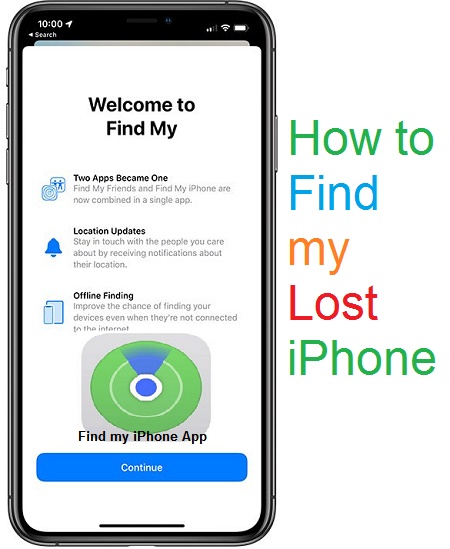
Find my iPhone
app Apple’s Find My iPhone app helps people track down their lost or stolen devices and it also makes it possible for users to wipe sensitive data so that thieves can’t easily access it.
If you want to get rid of your old device you can use the app to erase all of the content and settings on an iOS device so that whoever finds it will not be able to access any of your personal information.
This is useful if you are getting rid of a device because you no longer need it or because it has been lost or stolen.
You can also remove any apps from a device before selling it or giving it away The directions below explain how to use Find My iPhone on an iPhone iPad Mac iPod touch Apple Watch or Apple TV device.
If you are using this app on a different kind of Apple device such as a smartwatch or HomePod speaker follow these steps instead.
Apple’s Find My iPhone app for iOS and macOS is a fantastic tool to have especially if you ever lose your iPhone or iPad, while it’s not a perfect solution.
You need an internet connection and it won’t help you recover any files on the device itself.
It will at least tell you where your missing device is and if you don’t have cell service and are worried about someone stealing your iPhone there are some extra features that can come in handy.
Find my iPhone App
The Find My iPhone app helps you locate your missing device You can use it to.
- Locate your iPhone on a map.
- Remotely lock iPhone.
- Play a sound.
- Display a message.
- Remotely erase your iPhone.
If you sign in with iCloud on multiple devices you can also use the app to find them all when they’re lost.
If you find yourself with an iPhone that is not your own (for example your child’s) and you know they’re using Find My iPhone/iPad/iPod to locate it you can use this tool as well.
Find my iPhone iCloud
Use Find My iPhone at iCloud.com to find the location of your iPhone, iPad, iPod touch, Mac, Apple Watch, AirPods, and Beats If you’ve previously activated the Find My app and your device is connected to the Internet, the location is approximate, not exact.
Locate your Apple Device
Set up iCloud Find My app
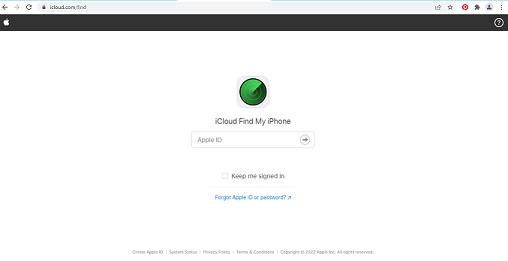
- To find your devices in iCloud, Go to iCloud website.
- Log in using your iCloud account.
 |
| Find my iPhone iCloud |
Note
- You must create an Apple ID and iCloud account to use the Find My app.
- Find My app must be enabled on the lost device.
- Each device must be set up with the same iCloud account to see all devices in iCloud.
Bypass iCloud activation lock for all iPhone models without bypass tools 100% free online
Download iPhone schematic diagrams for free
How to Change the Default Browser on iPhone
How To Fix Gmail Account Error on iPhone
Locate Device
See locations of online iOS devices on a map.
- Go to Find my app iCloud.
- Type the Apple ID and password.
- Click Sign In.
- Choose All Devices.
- Choose your apple device you want to locate.
- Your device appears in the center of the toolbar.
- If the device is connected to the Internet, the device’s location is displayed on the map.
- If the device isn’t connected to the Internet, you’ll see the status below the device’s name, check the notify me when found box to receive a notification once you locate it.
Find my iPhone on Mac
Apple’s Find My iPhone app and iCloud service are useful tools allowing users to track lost iPhones iPads And other Apple devices With the help of this apps you can:
- Track the location of your device on a map.
- Play a sound on your device so you can find it if you left it somewhere in the house or office or at the mall or any other place where you may misplace it.
- Erase all the data from your device remotely with a click of button so that no one else can access your personal information (Extremely useful if your device fell into wrong hands).
- You can also erase all the data from your iPhone with this app without even unlocking it or entering a password of any kind!.
- Lock down your device, you can lock down your device with a passcode and disable find my iPhone feature as well so no one else except for you will be able to unlock.
Find my iPhone Offline
Mode Apple’s Find My iPhone app is a great way of locating your missing device.
It allows you to not only track its position but also lock it down and wipe it clean.
But if you deactivated the device before losing it there’s another option, offline mode.
If you have ever lost your iPhone or iPad then you know it can be a nightmare.
You might also know that it’s not easy to track down a lost or stolen device on its own so here’s how to turn the tables on whoever may have taken your device.
Find my iPhone from Computer
With the Find My iPhone app and iCloud you can locate your Apple device erase it remotely or show its last known location on a map.
If you have a Mac and an iPhone or iPad then you can use the Find My iPhone app to track down your missing device.
Find My iPhone app is built-in on iOS devices but it’s also available for download on the Mac App Store.
If you’re using an iPhone iPad or iPod Touch with at least iOS 11 installed then your device should automatically appear in the app when it’s lost or stolen.
Find my iPhone Lost Mode
Although Apple’s Find My iPhone feature can help you locate your missing device you may have to take additional steps to prevent others from accessing or using it This article explains how?
The Find My iPhone feature on your iOS device makes it easy to locate your missing iPhone iPad or iPod touch.
You can even remotely lock erase or display a message on your missing device, If you’re concerned about security enable Lost Mode to make sure no one accesses your personal information if you lose your device.
You also have the option of saving a log of recent locations and receiving notifications when they change so that you can get an idea of where it might be.
Find my iPhone Last Location
If you’re a victim of phone theft don’t panic You can use the Find My iPhone app to locate your stolen phone.
And if it has been lost in your house or office you can at least have the thief leave it on so that you can track its location and get it back.
Find My iPhone is an app that enables you to locate lock or erase Apple devices that are signed in with your iCloud account.
You can access Find My iPhone from any computer or mobile device by using the iCloud website.
