


Create Professional Gmail Email Account
In the beginning, if you want to create a
professional Gmail business email (G Suite) for your company, whether it owns a small or
large business company, you must have your own domain, and just as you have a
name that distinguishes you from other people in the world, your business must
have its own domain that distinguishes it from the rest of the domains And, in
order to get a domain name for you and for your business, there are many sites
for creating domains such as, GoDaddy, Namecheap, BlueHost, etc. Or, when you
create a Gmail business email, Gmail will offer you to create a domain on
Google domains
You may also like to see: Gmail Business Email Account
 |
| How to Create Gmail Business Email Account | G Suite |
Now We Will Learn,
You may also like to see: Get Unlimited Storage | Google Drive Vs Alternative Storages
How to Create a Professional Gmail Business email (G Suite):
1. Initially, You
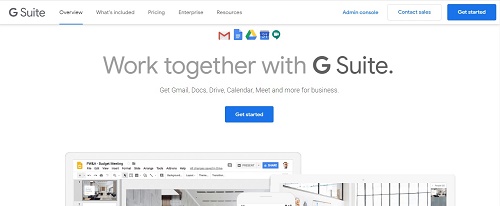
must go to G Suite and Sign Up for a new account.
- All you have to do is
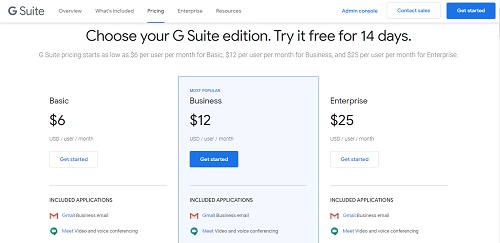
visit the G Suite website and click the Get started button to get the plan you want to use to manage your business. - Or, you will go into
the types of plans on the G Suite website and choose the appropriate plan for
you and follow the next steps.
2. Next step, you
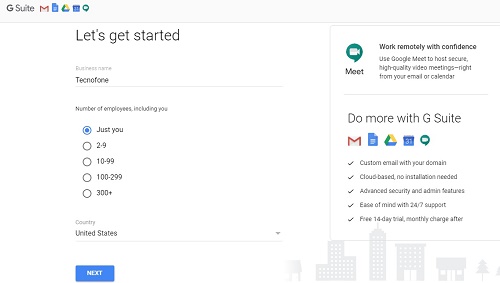
will enter the name of your business or company, the number of employees and
the country in which you reside. You can choose yourself for a single user
account only, or choose the number of employees for whom you will create a G
Suite accounts.
3. Click the Next
button to continue.
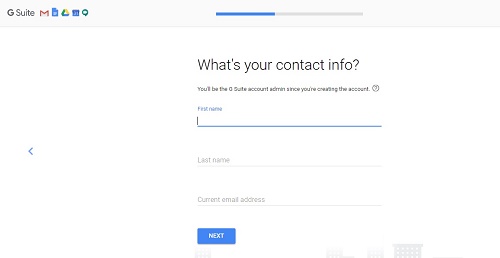
4. In the next step, you will enter your personal information including name and email address.
5. Next, you will
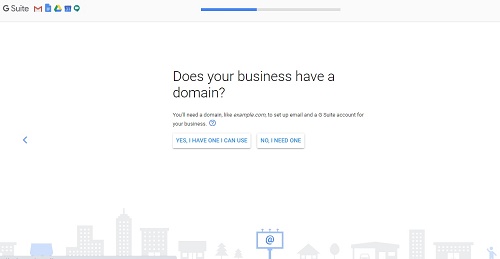
choose the domain name for your business. That is, if you already have a domain
name, click “Yes I have a domain name that I can use”. Or, click
“No, I need one” to register a new domain name with Google Domains.
6. If you need to
register a new domain name for your business, you will be charged separately
for registering a new domain name in addition to being billed for the plan you
chose to manage your business and your employees.
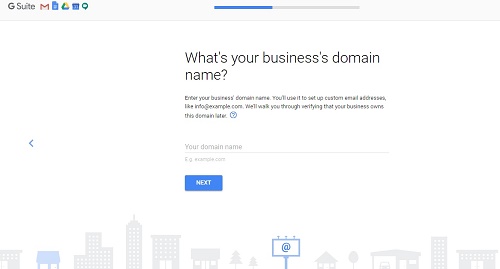
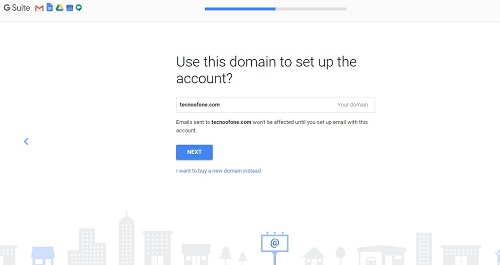
7. If you already own
a domain name of yours, you will be asked to enter it in the next step, after
that click on Next.
8. Then, when you
will configure your account settings, you will be asked to verify ownership of
the domain name. We’ll show you how to check later in this article.
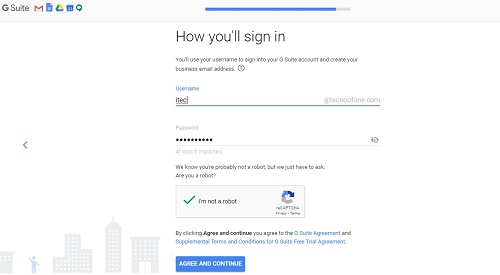
9. In the next step,
you will be asked to create a new G Suite user account by entering a username
and password, and you must choose the name because you will use it as a
professional email address for your business.
10. After that, you
will be asked to proceed to fill in your credit card information for payment,
and after completing the procedures, you have completed the process of creating your new business Gmail account on G
Suite, and you can now go to the “Go to Setup” button and click on it
to start adjusting your professional Gmail account settings.
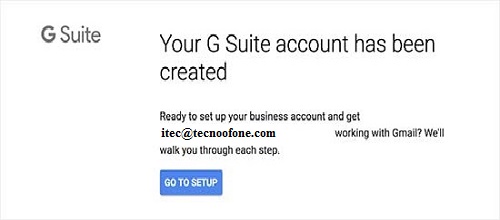
11. On the setup
page, you will add more employees to your company or business to your new
account. If you would like to create more accounts for your employees or
departments, you can do so from this page.
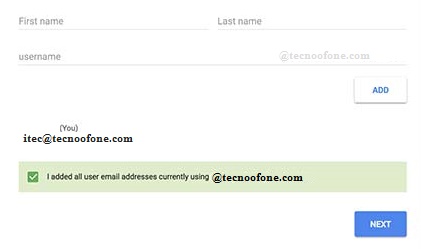
12. If you are not
ready for this now or have already added your company employees, you can click
“I have added all users’ email addresses” and click the Next button.
13. You can then add
more users to your account and create their email addresses later if you need
to.
14. If you have
already created your company’s domain from a place other than Google Domains,
you will be asked to verify your ownership of your domain name, in several
ways.
15. One of these methods is that you will see
the HTML code snippet that you will add to your website by adding it to the
HTML code of your website.
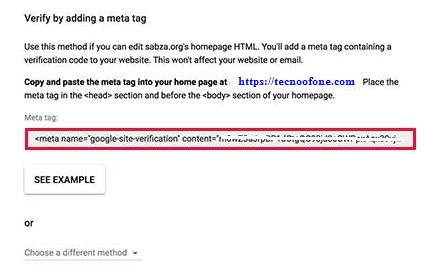
16. There are other
ways to verify ownership of your website. One of them is to upload an HTML file
to your website using an FTP client or a file manager app in the hosting
account dashboard.
You may also like to see: Create New Gmail | win $1000
Use your professional business email with G Suite and Gmail
- Your professional business email account works like any other Gmail
account. You can access it by visiting the Gmail website and logging in with
your professional business email address, for example, [email protected].
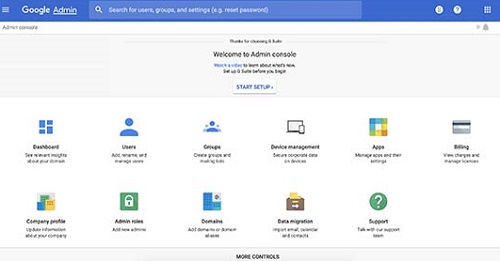
- You can also manage your G Suite account by accessing the Admin console.
- From this page, you can add/remove new users to your domain name and
your company. Every employee in your company or business will get 30 GB of
storage in addition to all the benefits that you get, except that none of your
employees will have access to the Admin console. You can remove/add users at
any time you want.
create new gmail account, gmail for business free, g suite login, create gmail account for business, g suite account, how to create a business email in gmail, g suite admin, g suite email, create new gmail account, gmail for business, gmail for business free, create gmail account for business, g suite, free business email, free business email without domain, how to create your own email domain free, gmail business email free, gmail business email price, gmail account, create new gmail account, free business email, how to create a business gmail account, free business email without domain, gmail business login, g suite login, g suite for education, g suite sign in, g suite free, g suite account, g suite pricing, g suite download, g suite classroom
