


Cydia Impactor Errors: How to fix most errors easily?
 |
| Cydia ipa errors: fix most errors easily | cydia impactor error 81 |
The Cydia Effect tool is programmed by saurik, developer of Cydia Impact, which is used on mobile devices. The Cydia Impact Tool allows us to install applications for iOS or Android apk devices from a computer without going through the app store, and like all programs it has some errors that we will review below:
1.Fix Provision.cpp:51 Error :
This happens when the IPA is not supported on your iOS version.
Error:
- cydia impactor installation.cpp.51
- ipa does not support
Solution:
- Upgrading iOS to the latest version and try again.
2.Fix Provision.cpp:57 Error: lockdown.cpp:57 error:
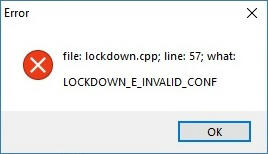 |
| Fix Provision.cpp57 Error lockdown.cpp57 error |
Error:
- file: lockdown.cpp; line: 57; what:LOCKDOWN_E_INVALID_CONF
Solution:
- Delete Cydia Impactor altogether.
- Update iTunes to the latest version – open it, click Help > Check for Updates.
- Disable Wi-Fi on your iPhone or iPad.
- Reinstall Cydia Impactor and open it.
- When you connect your device to your computer, make sure you click on Yes on the Trust This Computer message in iTunes.
3.Fix Provision.cpp:68 or Provision.cpp:62 Errors:
provision.cpp:62 error
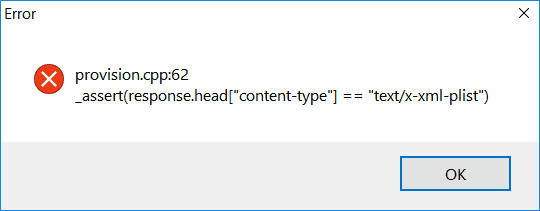 |
| provision.cpp62 error |
Error:
- cydia impactor provision.cpp:62
Solution:
- Repeat installation of IPA continuously
- Disable “Search for iPhone” by navigating Setting >> iCloud
provision.cpp:68 error
- cydia impactor provision.cpp:68
Solution:
- Agree with the terms by visiting developer section of apple: developer.apple.com
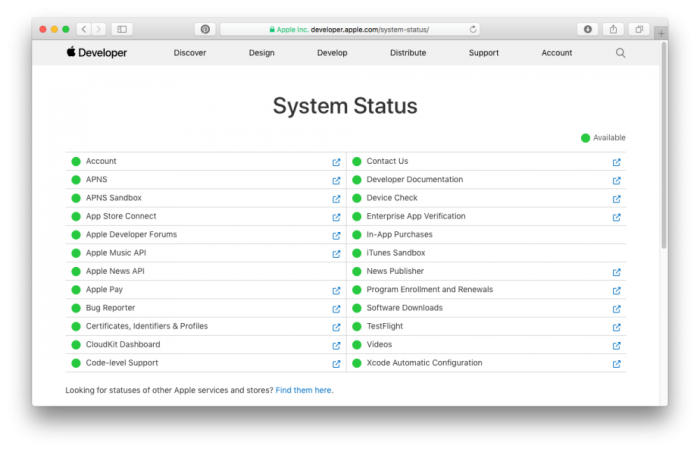
When you can see that the developer portal is up and running, you can go ahead and use Cydia Impactor to sideload your apps.
4.Fix Provision.cpp:71 or Provision.cpp:81 Errors and provision.cpp:80 error:
These errors messages is warning you that there is a conflict between iOS development certificates used for sideloading IPA files.
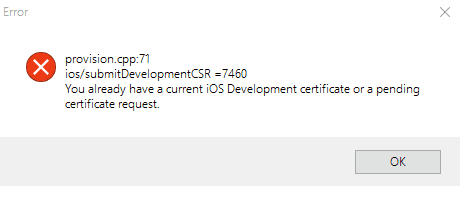
provision.cpp:71 error
 |
| provision.cpp71 error |
Error:
- cydia impactor provision.cpp:71
Solution:
- It is probably occurring because you are having a similar app on your iOS device.
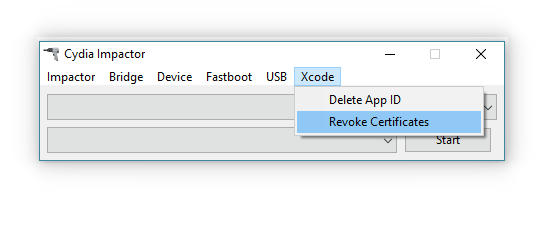
- Open Cydia Impactor and click the menu for XCode on your computer.
- Then click on Revoke Certificates.
- You will be asked to provide the Apple ID/Password that the error arose on, type it in and Cydia Impactor will connect to Apple.
- All of the development certificates will be revoked – when it’s finished, install the relevant IPA file again.
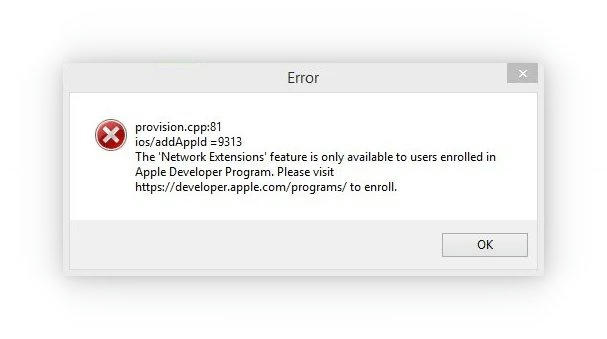
provision.cpp:81 error
 |
| provision.cpp:81 error |
Error:
- file:provision.cpp;line:81;what:ios/addAppld=9313
- The “Network Extensions” feature is only available to users enrolled in Apple Developer Program. Please visit https://developer.apple.com/programs/ to enroll.
 |
| revoke-certificates-cydia-impactor |
Solution:
- Utilize revoke certificate along with cydia impactor.
- Create a new apple id and use it while cydia impactor asks. This will solve the actual issue.
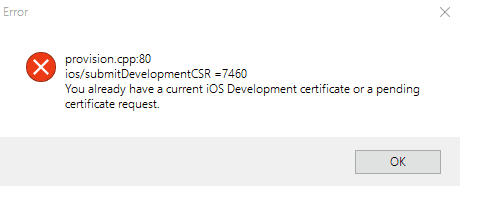
provision.cpp:80 error
 |
| provision.cpp80 error |
Error:
- cydia impactor provision.cpp:80.
- You already have a current iOS development certificate pr pending certificate request.
Solution:
|
| revoke certificates cydia impactor |
- There may be a problem with the certificate causing such action.
- Navigate to Xcode >> Revoke Certificates. Enter your Apple ID and password and revoke the certificate.
You should find that it works OK but, if it doesn’t, try these steps:
- Check that you are using the latest version of Cydia Impactor; if not, update it.
- Set up a second Apple ID; this will generate a new signing profile and a new developer certificate.
- If you have 2FA (two-factor authentication) in your Apple ID, create an app-specific password to use with that ID.
- Rather than dragging the .ipa file into Cydia Impactor, click on Device menu in Cydia Impactor, click on Install Package and then click the IPA file that is to be sideloaded.
You may also like to check out:
How to license and install the IPA Application by iOS device via Cydia Impactor on iPhone
How to Crack Miracle Box Without Box: Download XTM_Miracle Thunder 2.82 for Free
Fix Cydia Impactor Error 168: provision.cpp:168 error in iOS 10-iOS 10.2
Fix Cydia Impactor Runtime Error and Installation.cpp:42 error
Download Official Firmware for Huawei Y5 II (CUN-U29-Flash File)
