


Benefits of using voice input in Gmail on Android
The introduction of voice input in Gmail on Android brings several significant benefits to users.
First and foremost, it allows for effortless email composition, especially when you’re on the go.
No longer do you have to struggle with typing on a smaller mobile keyboard or waste time trying to find the right words.
With voice input, you can simply speak your thoughts, and Gmail will transcribe them into a well-crafted email.
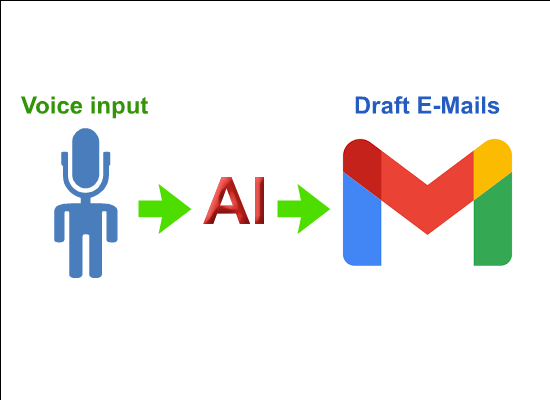 |
| Gmail is preparing to use voice input to draft emails using AI |
Another advantage of using voice input is the increased speed of email drafting.
By speaking naturally, you can compose messages much faster than traditional typing.
This is particularly useful for those who have a lot of emails to send or need to respond promptly.
With voice input, you can draft emails in a fraction of the time it would take using a keyboard.
Voice input in Gmail on Android also improves accessibility for users with physical disabilities or those who find typing challenging.
By providing an alternative input method, Gmail ensures that everyone can easily communicate through email, regardless of their abilities or limitations.
This inclusivity is a crucial step towards creating a more equitable digital experience for all.
Overview of artificial intelligence (AI) in Gmail
Artificial intelligence (AI) plays a vital role in enhancing the email drafting experience on Gmail for Android users.
By integrating AI technology, Gmail gains the ability to analyze the content of your emails and provide helpful suggestions for responses.
This helps users compose replies quickly and efficiently, saving valuable time and effort.
AI in Gmail goes beyond simple suggestions and learns from your email habits and writing style.
Over time, it becomes more personalized and can accurately predict the phrases, sentences, and even whole paragraphs you are likely to use.
This level of customization makes the email drafting process smoother and more intuitive, enabling you to communicate with ease.
Furthermore, AI in Gmail helps identify important emails by prioritizing them in your inbox.
By analyzing factors such as sender importance and email content, Gmail can intelligently categorize your messages and ensure that you don’t miss any critical information.
This feature is particularly useful for individuals who receive a high volume of emails and need to stay organized.
How AI makes drafting emails easier on Gmail
With the integration of AI, drafting emails on Gmail becomes a seamless and effortless process.
The AI-powered suggestions feature in Gmail’s compose window analyzes the content of your email and provides relevant responses that you can choose from.
This eliminates the need to think of every word or phrase, making the drafting process quicker and more efficient.
AI in Gmail not only suggests responses but also adapts to your writing style and preferences.
It can predict the next word or phrase you intend to use, allowing you to compose emails with minimal effort.
This level of customization ensures that your emails maintain a consistent tone and style, saving you time and ensuring a professional touch.
Additionally, AI in Gmail can help prevent errors in your emails.
It automatically detects and highlights potential grammar or spelling mistakes, ensuring that your messages are error-free.
This feature is especially valuable when composing emails on mobile devices, where typing errors are more common due to the smaller keyboards.
Steps to enable voice input and AI features in Gmail on Android
Enabling voice input and AI features in Gmail on Android is a straightforward process.
To get started, follow these simple steps:
- Open the Gmail app on your Android device and navigate to the Settings menu.
- Scroll down and select the “Voice input” option.
- Tap on the toggle switch to enable voice input.
- Once voice input is enabled, you can start composing emails by tapping the microphone icon on the keyboard.
- To enable AI-powered suggestions, go back to the Settings menu and select the “Smart Compose” option.
- Toggle the switch to enable Smart Compose, and Gmail will start providing suggestions as you type.
By following these steps, you can unlock the full potential of voice input and AI in Gmail on your Android device.
Take advantage of these features to streamline your email drafting process and enhance your overall productivity.
Tips for maximizing the use of voice input and AI in Gmail
To make the most out of voice input and AI features in Gmail on Android, consider the following tips:
- Speak clearly and enunciate your words to ensure accurate transcription by the voice input feature.
- Take advantage of punctuation commands such as “period” or “comma” to add proper punctuation to your emails.
- Familiarize yourself with the voice input commands supported by Gmail to navigate through the compose window efficiently.
- Customize your AI settings in Gmail to align with your preferences and writing style.
- Regularly review and edit the AI suggestions before sending emails to ensure they accurately reflect your intended message.
- Experiment with different voice input techniques, such as dictating longer paragraphs or using bullet points for clearer formatting.
By implementing these tips, you can optimize your use of voice input and AI in Gmail, allowing for a smoother and more efficient email drafting experience.
Common concerns and limitations of using voice input and AI in Gmail
While voice input and AI in Gmail on Android offer numerous advantages, it’s important to be aware of some common concerns and limitations.
One potential issue is the accuracy of voice transcription.
Although Gmail’s voice input feature is highly accurate, it may occasionally misinterpret words or phrases, leading to errors in your emails.
Therefore, it’s crucial to proofread and edit your messages before sending them.
Another limitation is the need for a stable internet connection to fully utilize the voice input and AI features.
As these functions rely on cloud-based processing, a weak or unreliable internet connection may result in slower response times or limited functionality.
Furthermore, some users may have privacy concerns regarding the use of AI in analyzing their emails.
While Gmail’s AI algorithms are designed to respect user privacy, it’s essential to understand and review the data usage policies and settings in order to make an informed decision.
Other helpful features and updates in Gmail on Android
In addition to voice input and AI, Gmail on Android offers several other helpful features and updates that enhance the overall email experience.
Some notable features include:
- Smart Reply: Gmail suggests short, contextual responses to quickly reply to emails with a single tap.
- Priority Inbox: Gmail automatically categorizes your emails into sections such as Primary, Social, and Promotions, allowing you to focus on the most important messages.
- Undo Send: Gmail provides a brief window of time after sending an email to undo the action and make any necessary changes.
- Confidential Mode: This feature allows you to set an expiration date for sensitive emails or revoke access to them at any time.
- Email snooze: You can temporarily remove emails from your inbox and have them reappear at a later, more convenient time.
These features, along with voice input and AI, ensure a comprehensive and user-friendly email experience on Gmail for Android users.
Future developments and enhancements in voice input and AI for Gmail
As technology continues to advance, we can expect Gmail on Android to further improve its voice input and AI capabilities.
Future developments may include:
- Enhanced voice recognition accuracy through machine learning algorithms and neural networks.
- Integration with other voice-controlled devices, such as smart speakers and smartwatches.
- More advanced AI suggestions that can predict entire email templates based on user preferences.
- Multilingual support for voice input and AI features to cater to a broader user base.
- Integration with third-party applications and services to provide even more comprehensive assistance in composing emails.
By keeping an eye on these future developments, Gmail users can anticipate an even more efficient and intuitive email drafting experience on their Android devices.
The introduction of voice input and AI features in Gmail for Android is a significant step towards enhancing the email drafting experience.
With voice input, users can effortlessly compose emails on the go, saving time and effort.
AI-powered suggestions further streamline the process by providing relevant responses and adapting to individual writing styles.
Enabling these features is simple, and with a few tips, users can make the most out of voice input and AI in Gmail.
While there may be concerns and limitations, Gmail offers a range of additional features, and future developments promise even more exciting advancements.
Embrace the power of voice and AI to communicate more efficiently and enjoy a seamless email experience on your Android device.
