


Fix Gmail Account Error on iPhone
Gmail is the most common application when it comes to sending and
receiving E-mail messages, whether at work or in personal life, and if you are
an iPhone user you may face some issues recently.
Such as: the inability to
send and receive messages , Or failure to connect to the server.
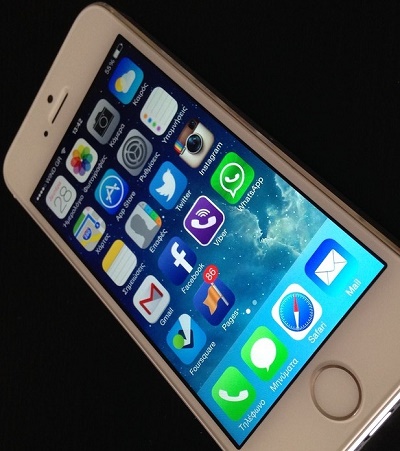 |
| How To Fix Gmail Account Error on iPhone |
How To Fix Gmail Account Error on iPhone | Some Gmail users on iPhone are having issues in not being able to send and receive messages.
Please befor reading the topic:
technical or in how to use any app, Please leave a comment below the topic,
about the issue that you are facing and we will discuss how to solve it.
1- Activate your new location:
Error:
- Sometimes, we
may face problems if we try to use a Gmail account on the iPhone when we are in
a new geographical location, or when we open a browser that we do not log in to
our account repeatedly, and therefore the application may not allow us to
access the server sometimes whenever we open a Gmail account in the iPhone.
Solution:
We can solve this problem by following these steps:
- Open internet
browser on iPhone. - Log in to the
Gmail account that you are having difficulty accessing, making sure to sign out
of any other account. - Copy and paste
the following link into your browser’s URL bar:
https://accounts.google.com/b/0/displayunlockcaptcha - Click Continue.
- You will see a
page informing you to activate access to the account, and here you can log in
to your Gmail account again. - Open the Gmail
app and enter your login data, and you will be able to open the app and start
sending and receiving messages as usual.
You may like to see: Create New Gmail and Choose Best Keywords
2-Activate the Internet Message Access Protocol (IMAP):
Error:
- Another reason for the problem that Gmail has stopped working on the iPhone is that the IMAP (Internet Message Access Protocol) has stopped working, which allows you to send all of your account information to and from your smartphone.
Solution:
You can check the activation of IMAP, and restart it through the following steps:
- Open a web browser on a computer or phone.
- Log in to your Gmail account.
- Click the gear icon in the top right corner of the screen
- Click the (POP / IMAP Forwarding and POP / IMAP) tab.
- Scroll down, and from the subtitle( IMAP Access) click (Enable IMAP).
3- Delete the account from iPhone:
-You can try deleting your Gmail account on your iPhone, then reset it again, and to delete the account follow these steps:
- On iPhone, open the (Settings app).
- Click on (Passwords & Accounts).
- Click on your (Gmail account).
- Click (Delete Account).
-To reset a Gmail account again on iPhone, you can follow these steps:
- Go to (settings), and under the section (Passwords and Accounts) click on (Add Account).
- Type your Gmail address.
- Click (Next).
- Type the password for your Gmail account.
- Click (Next) again.
- Click on (Save).
4- Perform a factory reset of the iPhone:
-A factory reset of your iPhone can help correct errors that prevent Gmail from operating at the OS level, but first make a backup of your data, either using iTunes or iCloud.
-Once the backup process is completed, you must turn off (Find My iPhone) option, and then perform a factory reset of the phone through the following steps:
- Click (General).
- Choose (Reset).
- Click (Erase All Content and Settings).
-Once you reset your iPhone, you will need to restore the last backup of your data, and then set up your Gmail account again as mentioned previously.
You may also like to check out:
How to license and install the IPA Application by iOS device via Cydia Impactor on iPhone
How to Crack Miracle Box Without Box: Download XTM_Miracle Thunder 2.82 for Free
Fix Cydia Impactor Error 168: provision.cpp:168 error in iOS 10-iOS 10.2
Fix Cydia Impactor Runtime Error and Installation.cpp:42 error
Cydia Impactor Errors: fix most errors easily
Download Official Firmware for Huawei Y5 II (CUN-U29-Flash File)
